Your Ultimate Guide to Grocery Store Pick Up Service
Master the grocery store pick up service with this guide. Learn real-world tips to save time, avoid stress, and make your curbside runs perfectly efficient.
Love This Article?
Get personalized meal plans with recipes like this, automatically matched to your nutrition targets.
Let's be honest, grocery shopping can be a total drag. But what if you could skip the crowded aisles, the checkout lines, and the temptation to buy that giant bag of gummy bears you definitely don't need? Enter the magic of grocery store pickup.
It’s your secret weapon for getting your groceries, ordered online, and loaded right into your car. Think of it as having a personal shopper who handles all the tedious stuff, leaving you with nothing but pure, unadulterated convenience. This isn't just about saving time; it's about reclaiming your weekend.
The Modern Way to Conquer Your Grocery List
Welcome to the future, where the grocery aisle maze is a thing of the past. Using a grocery store pickup service is more than just avoiding a trip inside the store—it's a game-changer for how you manage your time, your money, and your sanity. Picture this: no more toddler meltdowns in the candy aisle, and no more getting home only to realize you forgot the one thing you actually went for.
This is how you turn a weekly chore into a simple, five-minute task. The benefits are real, and they hit home for anyone who's just done with the traditional shopping grind.
Why Pickup is More Than Just a Convenience
The real beauty of this system goes way beyond just saving a few minutes. When you make grocery pickup a regular part of your routine, you bring a whole new level of order and calm to your week.
- Master Your Budget: Shopping online means you watch your cart total update with every click. It's shockingly easy to stick to your budget when you can see the damage in real-time. You can ditch impulse buys and sidestep those checkout-aisle temptations that sneak an extra 10-20% onto your bill.
- Kiss Shopping Stress Goodbye: Let’s talk about the mental load of a grocery run. Navigating a packed store, waiting in line, trying to keep kids from climbing the displays... it's exhausting. Pickup services wipe all that away, turning a high-stress event into a ridiculously calm pit stop.
- Plan Like a Pro: This is where things get really good. When you pair your pickup order with a slick meal planning tool like Meal Flow AI, your efficiency skyrockets. You can build a meal plan, get a perfectly organized shopping list ready for Instacart, and have your pickup scheduled in less time than it takes to find a parking spot.
A New Normal for Millions
The boom in online grocery shopping has completely changed the game for families everywhere. This isn't some niche luxury anymore; it's how millions of people get things done.
By mid-2025, a whopping 61% of U.S. households—that's about 81 million homes—were buying their groceries online. And they're sticking with it. A solid 71% of people who try it plan to continue, which tells you everything you need to know. For anyone who meal preps, tools like Meal Flow AI are a lifesaver, generating Instacart lists that sync up perfectly with store pickup and saving you hours every single week. You can dig into more of these online grocery shopping statistics to see just how much our habits have shifted.
This isn't just a passing trend; it's the new standard. Once you experience the simple joy of pulling up to the store and having someone load your trunk for you, there's just no going back. The service sells itself by making life genuinely easier.
Choosing Your Curbside Champion and Building a Flawless List
Let's be real: not all grocery pickup services are the same. Your choice of store can be the difference between a breezy, "wow-that-was-easy" experience and a frustrating afternoon staring at a bag full of weird substitutions. Picking the right retailer is your first, and most important, mission.
Think about what actually matters to you and your sanity. Are you all about the slickest app? The most forgiving substitution policy? Or just the ability to snag a pickup slot that isn't at 9 PM on a Tuesday?
Major players like Walmart, Kroger, and Target each have their own personality. Walmart often wins on the sheer number of available time slots, which is a lifesaver. Target’s Drive Up is legendary for its speed—they practically teleport the bags to your car. Kroger's app, on the other hand, is a couponer's dream.
My advice? Run a small "test" order at a couple of different stores. See which one feels right before you commit to a massive weekly haul.
Comparing Top Grocery Pickup Services
To help you get started, here's a quick rundown of what to expect from the big three. This isn't an exhaustive list, but it covers the things that usually matter most when you're trying to decide.
| Feature | Walmart Pickup | Kroger Pickup (ClickList) | Target Drive Up |
| Fees | Generally free over $35 | Sometimes has a fee ($4.95), often waived | Free, no minimum order |
| Product Selection | Massive (groceries, home goods, electronics) | Strong grocery focus, good private label selection | Groceries plus everything else Target sells |
| Substitution Policy | User-controlled; can select specific replacements | Often allows shoppers to make "smart" subs | Easy to manage substitutions within the app |
| App Usability | Functional and straightforward | Excellent for digital coupons and loyalty points | Super sleek, fast, and highly rated |
Ultimately, the "best" service is the one that fits your life. Maybe the small fee at Kroger is worth it for their killer produce, or maybe the "no minimum" at Target is perfect for your small, frequent trips.
Crafting the Perfect Digital List
Once you’ve found your store, it’s time to build a list that leaves zero room for error. A digital list isn't just about remembering milk and eggs; it’s about giving your personal shopper a crystal-clear roadmap to getting your order 100% right.
Forget a random jumble of items. The pro move is to group things by meal. Create a little category for "Taco Tuesday" and list your ground beef, tortillas, shredded cheese, and salsa together. This not only keeps you organized but also acts as a final check—it’s easy to spot if you've forgotten the sour cream. For more tips on this, check out our guide to the best grocery list meal planner app.
Now for the secret weapon: the notes field. Use it. Love it. It's your direct line to the shopper.
- For Produce: "Please get green-tipped bananas for later in the week."
- For Deli Meat: "Slice the turkey thin, please! On a #2 setting if you can."
- For Avocados: "Need two ripe ones for tonight and two rock-hard ones for Friday."
This level of detail makes all the difference.
Look, your personal shopper is a human, not a mind reader. Clear, concise notes are the single best way to avoid getting a bizarre-tasting brand of yogurt or a bunch of mushy bananas.
Pre-Shopping for Big Savings
Before a single item hits your virtual cart, take 90 seconds to hit the digital coupon section in the store's app. Most have a dedicated area where you can "clip" coupons directly to your account with a single tap.
Spending just a few minutes doing this can easily knock $10-$15 off your order. The discounts are applied automatically when you check out. It's literally free money.
This infographic really nails the core benefits of making grocery pickup a habit.
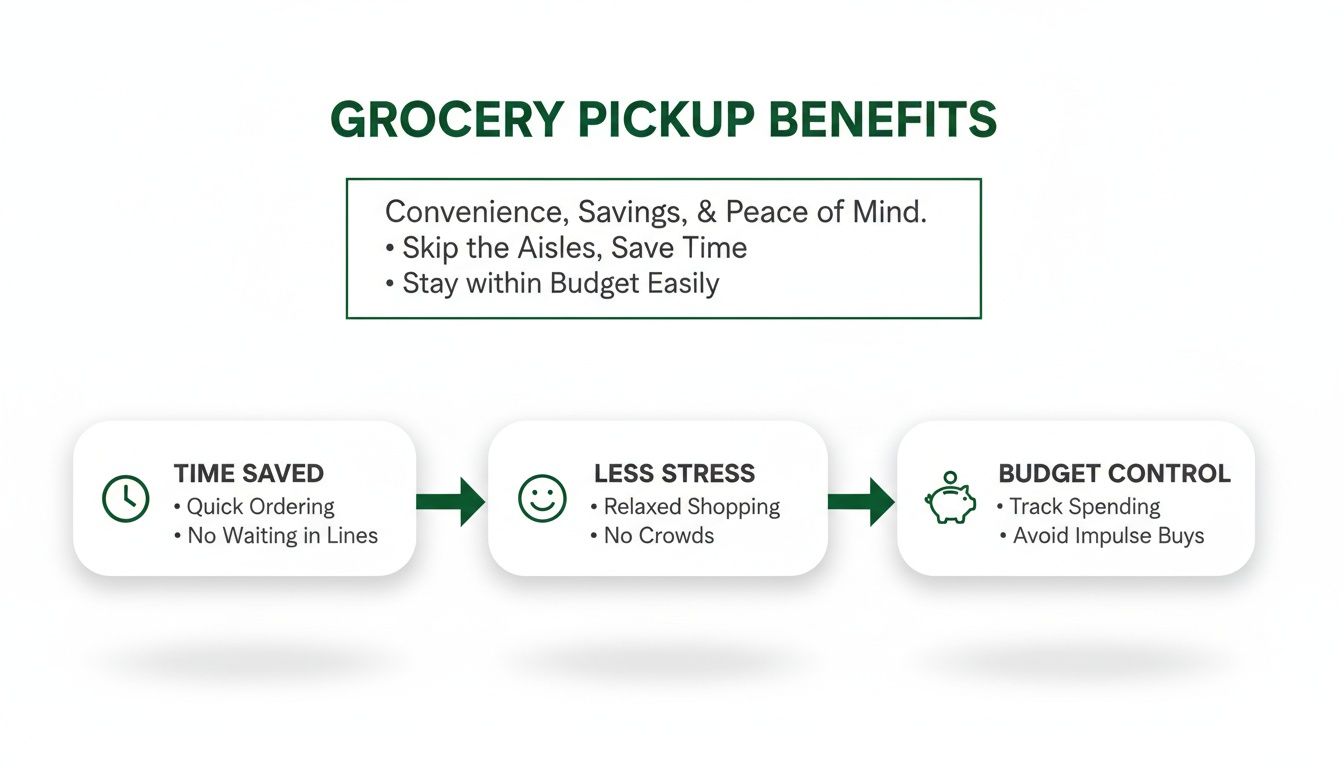
As you can see, this is about more than just convenience. It directly impacts your time, stress, and budget. When you choose your store wisely and build a smart list, you get to max out all three of those awesome perks.
Placing Your Order and Timing Your Pickup
Alright, you've chosen your store and your shopping list is a thing of beauty. Now for the moment of truth: placing the order. This part is pretty straightforward, but a few key choices here can separate a good pickup experience from a great one. This is where you level up.
The first big question the app will ask is about substitutions. What happens if your favorite salsa is out of stock? You can tell the shopper to skip it, let them make a judgment call, or even specify an exact backup brand. My advice? If you're particular about certain things—like your coffee or your kid's favorite yogurt—be specific. For everything else, "allow substitutions" usually works out just fine.
Before you hit that final confirmation button, do a quick sanity check for fees. Many stores will waive their small pickup fee (usually around $5) if you spend over a certain amount, like $35. And for the love of saving money, never check out without first searching for a promo code. A quick Google search for "[Store Name] promo code" can often knock 10-15% off your first order. It's a two-second task for real savings.
Finding the Perfect Pickup Slot
Let’s be honest, snagging a good pickup time can sometimes feel like trying to get concert tickets. The weekend rush is a real phenomenon, so if you have any flexibility, try to avoid scheduling your pickup between Friday afternoon and Sunday evening.
Here are a few tricks I've learned for grabbing the best slots:
- Be a Night Owl: Most stores release the next day's time slots right around midnight. If you're up late, you can often snag a prime morning spot before anyone else.
- Embrace the Mid-Week Lull: Tuesdays and Wednesdays are the sweet spot for grocery pickup. The stores are quieter, the staff is less frazzled, and time slots are wide open.
- Plan Ahead: If you know you'll need groceries on Friday, don't wait until Friday morning to order. Place your order on Wednesday or Thursday to get your pick of the best times.
It's no surprise that pickup services are a huge deal, especially for busy families. U.S. online grocery sales hit a whopping $11.6 billion in October 2025 alone, and pickup accounted for a massive $4.1 billion chunk of that. It’s popular for a reason—it’s fast and cheap. You can dive deeper into these grocery pickup trends and insights if you're curious.
Stay in the Loop with Notifications
Once your order is in, turn on those app notifications. Seriously, this is non-negotiable. It’s the key to a stress-free pickup.
You'll get a heads-up when the shopper starts grabbing your items, alerts if they need you to approve a substitution, and the golden ticket notification: the one telling you your order is ready. This little stream of communication transforms what could be an anxious waiting game into a smooth, predictable process.
When you pair this well-timed order with a killer shopping list (the kind that comes from smart meal planning), you're basically running your own high-efficiency household. If you want to really dial in your list-making game, check out our guide on creating an effective Instacart grocery list.
Mastering the Curbside Handoff Like a Pro
Alright, you’ve placed your order and gotten the text you’ve been waiting for: "Your groceries are ready." Now for the grand finale—the handoff. This is where a tedious chore becomes a ridiculously satisfying victory lap. Let's make sure it goes off without a hitch.
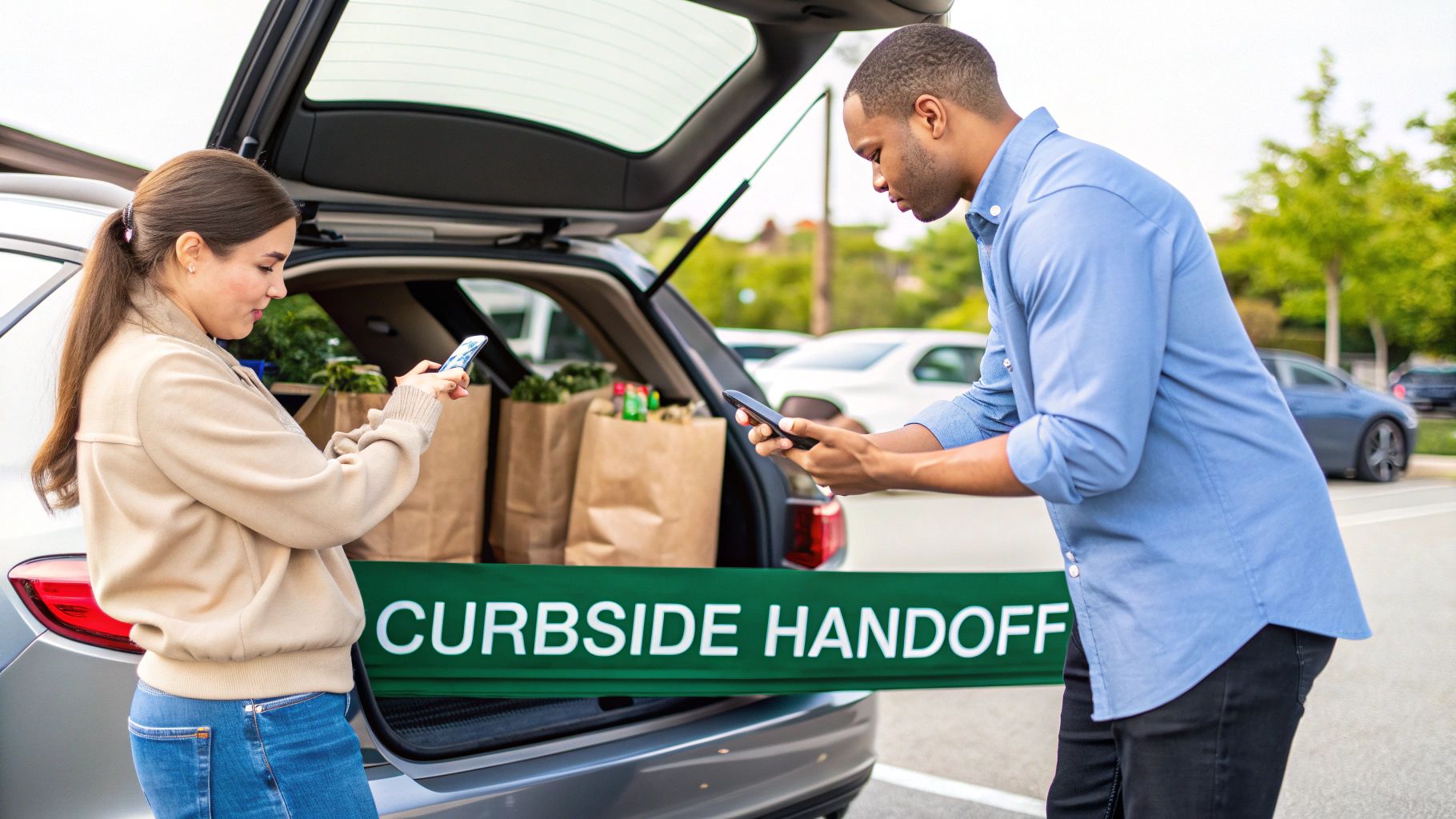
Before you even think about grabbing your keys, do your future self a huge favor and clear out your trunk. Seriously. There's nothing more cringeworthy than watching a store employee play a game of Tetris with your groceries, a stray soccer ball, and that bag of mulch you forgot about last spring. A clean slate makes for a quick and painless load-up.
Once you’re on the road, the store's app is your new best friend. Most have a big, beautiful "I'm on my way" button. Tap it. This simple action gives the team a heads-up, letting them stage your order so it's ready the second you pull into a spot. Some of the fancier apps even track your location, making the timing nearly perfect.
Navigating the Pickup Zone
Let's be real, finding the designated pickup spots can sometimes feel like a treasure hunt. Keep an eye out for brightly colored signs—usually orange or blue—that scream "Curbside Pickup" or "Drive Up." These spots are typically prime real estate right near the front entrance, so you can't miss them.
After you've parked, the last step is checking in. You'll usually do this right in the app by tapping in your parking spot number. Within minutes, a friendly employee will roll out your order. The whole process is built for speed and efficiency, turning what used to be a 30-minute schlep through the aisles into a three-minute pit stop.
The reliability of grocery pickup is a game-changer for savvy meal preppers. It's no surprise that 46% of consumers now use curbside pickup every single week. Even more telling, 71% say they'll use it again, putting it on par with delivery for customer loyalty. It just goes to show that once people get the hang of it, pickup becomes an indispensable part of their routine. You can dig into more stats in the 2025 grocery ecommerce study.
The Post-Handoff Check
Before you drive off into the sunset with your haul, take 30 seconds for a quick quality control check. You don't need to do a full forensic audit of your receipt, but a quick glance can save you a world of disappointment later.
- Feel the Cold Stuff: Is the milk jug sweating? Are the frozen peas starting to look a little sad? Make sure cold things are still cold.
- Spot the Fragile Items: Quickly locate the bag with the eggs or the loaf of bread. Did it survive the journey, or is it currently being squashed by a rogue watermelon?
- Scan for Glaring Errors: If you see Diet Coke instead of regular, or almond milk instead of oat, now is your chance to speak up.
If something’s not right, just politely let the employee know. Nine times out of ten, they can fix it on the spot by dashing inside for the correct item. This quick check is the final step to ensuring your smooth pickup experience ends on a high note, with everything you need for the week ahead.
Supercharge Your Shopping with Meal Flow AI
Alright, we've covered how grocery pickup is a game-changer on its own. It's a fantastic little life hack for dodging crowded aisles and impulse buys. But what if I told you it could be even better?
Let's take this simple convenience and turn it into a full-blown efficiency engine for your entire week. This is where we connect the dots between smart planning and the sheer joy of someone else doing the shopping.
When you pair a tool like Meal Flow AI with your go-to store's pickup service, you're not just skipping a trip to the store. You're basically automating the entire soul-crushing cycle of meal planning, list-making, and shopping.
From Meal Plan to Trunk in Minutes
Picture this: Instead of staring into the fridge abyss, wondering what on earth to make for dinner, an AI planner whips up a personalized meal plan for your family. Then, with a single click, that plan morphs into a perfectly organized shopping list.
This isn't some futuristic fantasy. It’s exactly how this system works. It completely cuts out the mental gymnastics of trying to remember if you have paprika or figuring out what to do with that lonely bell pepper. What used to take hours of scattered effort now takes just a few minutes on your phone.
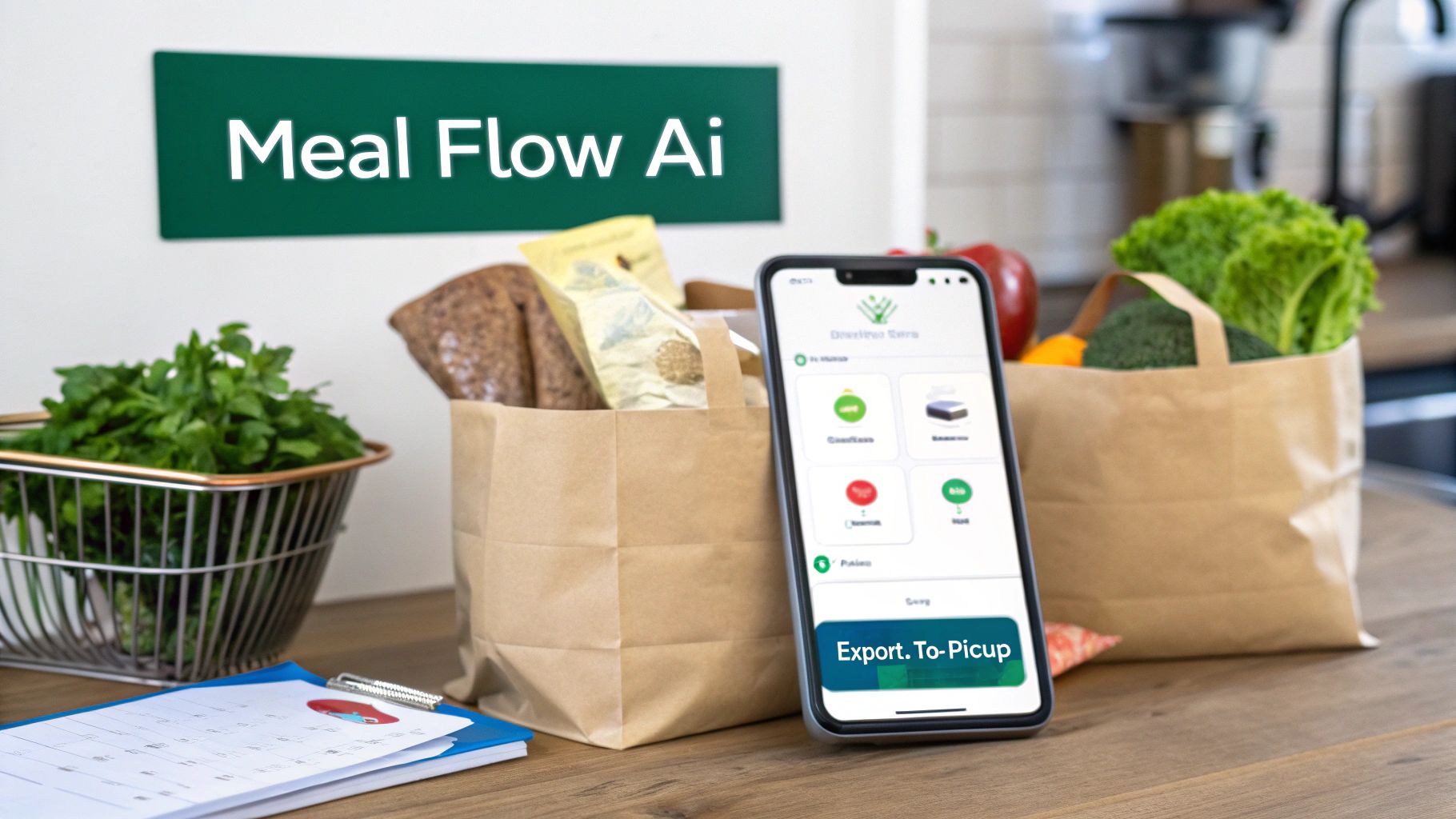
The image above nails the concept: your digital meal plan is directly wired to the groceries you actually need. Simple, right?
Real-World Scenarios in Action
Let’s get out of the clouds and see what this actually looks like during a real, chaotic week. The goal here isn't just to buy random groceries more efficiently; it's to solve real-life dinner dramas.
Think about these all-too-common situations:
- The "Keto Kickstart" Week: You’ve decided to go keto. Awesome! But the idea of calculating macros and hunting down compliant recipes makes you want to curl up with a loaf of bread. Meal Flow AI can generate a week's worth of keto meals, from avocado-and-egg breakfasts to steak-and-veggie dinners. One tap, and all the ingredients land on your Instacart list, ready for pickup at a store like Kroger.
- The "Freezer Meal" Prep Day: You’re a genius and want to stock your freezer with three ready-to-go dinners for those nights when cooking feels like climbing Everest. Find a few freezer-friendly recipes, pop them into your plan, and the system compiles every single onion, can of beans, and herb you need. All you have to do is schedule the pickup at Walmart and get prepping.
- The "Picky Eater" Puzzle: You're juggling one kid who acts like tomatoes are poison and another who survives on chicken nuggets. A smart planner can actually build a menu that keeps everyone (mostly) happy, generating one unified shopping list that covers all the weird, wonderful, and plain bases.
In every one of these scenarios, you're not just buying food; you're buying a solution. You're buying sanity for the week ahead.
This integrated approach is the ultimate answer to the dreaded "What's for dinner?" question. It kills decision fatigue and ensures you only buy exactly what you need—a massive win for your wallet and the war on food waste.
This is how the grocery store pick up service evolves from a simple time-saver into the final, triumphant step in a fully automated meal system. It's the smartest way to shop, because all the hard thinking has already been done for you.
Got Questions About Grocery Pickup? We’ve Got Answers.
Jumping into the world of grocery pickup can bring up a few "what ifs." It's totally normal. Let's walk through the questions I hear all the time so you can feel like a seasoned pro before you even place your first order.
Think of this as the final check-in before you embrace the curbside life for good.
Is Grocery Pickup Going to Cost Me More Than Shopping Myself?
This is the big one, right? The short answer is almost always no. Some stores might have a small pickup fee, usually around $3 to $5, but they often ditch it if your order is over a certain amount, like $35. The prices on the virtual shelf are typically the exact same as the ones in the aisle.
But here's the real kicker: you save a ton by avoiding impulse buys. When you stick to your digital list, you're not tempted by that fancy end-cap display of artisanal potato chips. That discipline alone can easily trim 10-20% from your grocery bill. Add in the gas and time you save, and it's a clear win for your wallet.
What Happens If They're Out of Something I Ordered?
Ah, the dreaded out-of-stock item. This is where your substitution preferences become your superpower. As you check out, you get to call the shots for every item. You can let the shopper pick a similar replacement, specify an exact backup yourself, or just say "no substitutions, thanks" if it's that specific brand of oat milk or nothing.
Most grocery apps have gotten really smart about this. They'll often ping you with a notification in real-time, letting you approve or deny a suggested swap right from your phone. If there's no substitute and you said no to one, you just don't get charged for the item. Simple.
How Can I Trust Someone Else to Pick My Produce or Meat?
I get it. Nobody wants a bruised apple or a questionable cut of steak. But you have more say in this than you might think. Your secret weapon is the "notes" feature for each item. This is your direct line of communication to the person physically picking your food.
Don't be shy—be specific! For example:
- "Avocados, please! But I need them firm, for guac later this week."
- "Please grab the bananas that are still a bit green."
- "Could you find the chicken breast package with the furthest-out expiration date?"
These personal shoppers are professionals, and their performance is often rated on how well they follow your lead. My advice? Start with a smaller order to see how your local store does. You'll build up that trust in no time.
Can I Still Use My Coupons?
You sure can! The only catch is that you'll be using digital coupons. Since the whole transaction is online, those paper clippings you've got in a drawer won't do you any good.
Before you even start building your cart, take two minutes to pop into the store's app or website. Go to their coupon section and "clip" everything that looks useful. These digital deals link right to your loyalty account and the savings come off automatically at checkout. It’s honestly easier than remembering to hand them over to a cashier.
---
Ready to turn your grocery run from a weekly chore into a quick, automated task? Meal Flow AI creates meal plans just for you and zaps the perfectly organized shopping list over to Instacart, all set for pickup. Start planning smarter, not harder, with Meal Flow AI today.