Your Ultimate Meal Plan Grocery List App Guide
Discover the meal plan grocery list app that saves you time and ends kitchen chaos. Get practical tips for meal planning and grocery shopping.
Love This Article?
Get personalized meal plans with recipes like this, automatically matched to your nutrition targets.
A solid meal plan grocery list app is like having a personal sous-chef right in your pocket. It takes the nightly panic of "what's for dinner?" and turns it into a calm, automated, and—dare I say—enjoyable process. It'll suggest meals your family will actually eat, whip up a flawless shopping list, and can even get the groceries delivered to your door.
End Kitchen Chaos with a Smarter App
Let’s be honest, the daily dinner scramble is draining. For busy moms, it's a never-ending loop of trying to cater to picky eaters, guessing what's lurking in the back of the fridge, and dealing with those crumpled, coffee-stained grocery lists you always forget on the counter. This mental overload is what I call "kitchen chaos," and it's a thief of your time and sanity.
This is where a truly smart meal plan grocery list app like Meal Flow AI completely flips the script. It's not just another app to store recipes; it's a system built to take the mental weight of meal planning off your shoulders. Instead of doom-scrolling Pinterest for an hour, the app gets to know your family's tastes and serves up ideas you know they'll love.
From Manual Mess to Automated Magic
The difference between scribbling on a notepad and using an app is like night and day. You’re not just getting organized; you're literally buying back hours of your life. There's a reason this market is exploding—the global meal planning app market was valued at around $1.2 billion in 2023 and is expected to hit $3.6 billion by 2032.
Why the huge jump? Because these apps work, saving the average user 2-3 hours a week on planning alone. You can read the full analysis on the meal planning app market to see just how much people are craving this kind of efficiency.
A genuinely intelligent app handles the whole shebang:
- Personalized Meal Suggestions: It factors in everything from allergies and diets to that one kid who refuses to eat anything green.
- Automated Grocery Lists: Every last clove of garlic and pinch of salt from your recipes gets added to a perfectly sorted list. Instantly.
- One-Tap Ordering: The best part? Your list can sync directly with services like Instacart, turning your plan into a delivery scheduled at your convenience.
The table below paints a pretty clear picture of just how much changes when you ditch the old routine.
From Kitchen Chaos to Calm Control
| Task | The Old Way (The Headache) | The App Method (The Relief) |
| Meal Ideas | Endlessly scrolling blogs, cookbooks, and social media for inspiration. | The app suggests meals based on your family's proven likes and dislikes. |
| List Making | Manually writing down ingredients, inevitably forgetting something crucial. | Your grocery list is automatically generated and sorted by aisle. Magic. |
| Pantry Check | Digging through cupboards to see if you have paprika. (You don't.) | The app can track your pantry, subtracting items you already have from your list. |
| Shopping | A long, stressful trip to the store with kids in tow, plus impulse buys. | Groceries are ordered in one tap and delivered right to your doorstep. |
| Budgeting | Guessing your total at checkout and hoping for the best. | You see the total cost in your cart *before* you buy, preventing overspending. |
It's a complete system upgrade for your kitchen.
This technology is about more than just convenience. It's about creating a system that gives you back control over your time, budget, and sanity, transforming a stressful chore into a seamless, satisfying process.
Think about it: planning, shopping, and scheduling an entire week of dinners in less time than it takes to watch an episode of your favorite show. That’s the relief you get when you finally put your meal plan on autopilot.
So, Which Meal Planning App is Actually Going to Work for Your Family?
Let's be honest, scrolling through the app store to find a meal planner can feel like just another chore on an already endless to-do list. But I promise, finding the right one is worth it. It’s the difference between an app you use for a week and a tool that genuinely becomes the command center of your kitchen.
When you're browsing, look past the generic pretty food pictures. Pay attention to the winning app store screenshots that show you what the app actually does. Can you see how it handles a real, messy, complicated week of meals? That’s your first clue.
Let’s Talk About What Really Matters
Forget those glorified digital recipe boxes. You don't need another place to save recipes you'll never make. What you need is a smart assistant that actually learns what your family eats.
I'm talking about an app that figures out your kids hate mushrooms in everything, that your partner is trying to eat low-carb, and that you're just trying to get some baked chicken on the table without a fight. Over time, it stops suggesting random stuff and starts suggesting meals you'll actually cook and enjoy.
This is why the market for these apps is set to skyrocket from $972.1 million in 2024 to a mind-blowing $11,566.5 million by 2034. It's not just hype; it's because this stuff works. People report being 40% better at sticking to their health goals just by taking the "what's for dinner?" stress out of the equation.
A truly great meal planner needs to nail these three things, no exceptions:
- Serious Dietary Filters: Can it handle your daughter's dairy-free needs, your son's nut allergy, and your gluten-free preference all at once? The filters have to be powerful and specific.
- Automatic Grocery Lists: The app must instantly pull every last ingredient from your weekly plan into an organized shopping list. No more scribbling on a notepad while flipping between three different recipes.
- Grocery Delivery Integration: The holy grail. The ability to zap that perfectly organized list straight to a service like Instacart turns hours of planning and shopping into a few taps on your phone.
Think about it. You've got one kid who's a picky eater, another with a gluten allergy, and a partner doing keto. A basic app will just throw its hands up. A great app sees this as a fun puzzle and comes back with a plan that makes everyone happy (or at least, not complaining).
A Quick Real-World Example
Okay, let's say you pick Sheet Pan Nachos for Friday night. A smart app will see your gluten-free setting and automatically suggest gluten-free tortilla chips. Done.
Then, for Tuesday, you add a Baked Caesar Chicken recipe. The app should remember your husband is doing low-carb and maybe suggest using crushed pork rinds instead of breadcrumbs for the topping. It's that kind of intuitive help that saves your sanity.
That's the magic right there. It’s what separates a good meal plan grocery list app from one that will actually change your life. It does the mental gymnastics for you. For a deeper dive into what to look for, check out our guide to the best grocery list meal planner app.
Setting Up Your App for Automatic Success
Alright, this is where the real magic happens. Think of this initial setup not as a chore, but as training your very own tiny, digital sous chef. A little time spent upfront is going to pay off big time, I promise. It’s the difference between the app spitting out a brilliant meal plan you actually want to cook versus a random list of recipes your kids will immediately reject.
Getting this part right is the secret to making the app stick. It’s actually a huge focus for developers; they build in these customizations as part of their mobile app retention strategies to make sure you fall in love with the app from day one and never look back.
Personalizing Your Kitchen Command Center
Your first mission is to do a "brain dump" of all your family's weird, wonderful, and sometimes frustrating food rules directly into the app. This is how you get those hyper-personalized meal suggestions that feel like they were made just for you. Don't hold back—the more info you give the AI, the smarter it gets.
Start with the absolute deal-breakers:
- Dietary Restrictions: This is the non-negotiable list. Go through and flag everything, whether it's gluten-free, dairy-free, or serious allergies like nuts and shellfish.
- Food Dislikes: Is there a family-wide hatred for mushrooms? Does your partner think cilantro tastes like soap? Now's your chance to add them to the "do not serve" list and banish them from your kitchen forever.
- Cuisine Preferences: Are you all about Taco Tuesday and pasta nights? Or maybe you're more of a Mediterranean food family? Let the app know your go-to flavor profiles.
- Cooking Style: Let's be real about our time and energy. Tell the app you need quick 30-minute meals on weeknights but are willing to get a little more adventurous on the weekends.
Here’s a peek at what that looks like. You can just toggle your preferences on or off, making sure every single suggestion actually works for your family.
By setting these boundaries from the start, you stop the app from ever suggesting a recipe that’s dead on arrival.
Connecting Your Tools for Ultimate Convenience
Okay, preferences are locked in. Now it's time to connect the dots and make your life ridiculously easy. There are two integrations that will take your app from a simple planner to a full-on automation powerhouse.
First up, connect your pantry. A lot of these apps let you keep a running digital inventory of what you already have on hand. It sounds simple, but this step alone will save you from buying a third jar of paprika when you've already got two hiding in the back of the cabinet. We dive deeper into how this works in our guide to the automated grocery list.
The whole point is to create a seamless flow from "what's for dinner?" to a finished meal on the table. Nailing these preferences and connections is the most important thing you can do to make that a reality.
Finally, link your grocery delivery service, like Instacart. This is the final, glorious piece of the puzzle. With one tap, you can send your perfectly planned, pantry-aware grocery list directly to a shopper. This is the connection that truly delivers on the promise of an automated system, freeing you from that soul-crushing weekly trip to the grocery store. Trust me, taking these setup steps seriously is what makes the app feel less like a tool and more like your new best friend.
Time for the Big Reveal: Your First Automated Meal Plan and Grocery List
Alright, this is the moment we’ve been waiting for. You’ve poured all your family’s weird and wonderful food preferences into the app, and now it’s time to let it work its magic. With all your rules locked and loaded, you’re about to generate a full week of meals with a single tap. Seriously, watching the app whip up a plan that actually remembers the no-mushroom mandate and your gluten-free needs feels a little like sorcery.
The AI isn’t just grabbing random recipes from the ether. It’s smart. It intelligently pulls together a weekly menu, often finding ways to overlap ingredients to cut down on waste. It knows you want quick weeknight dinners and delivers just that. It's a thoughtful process designed to make your life easier right out of the gate.
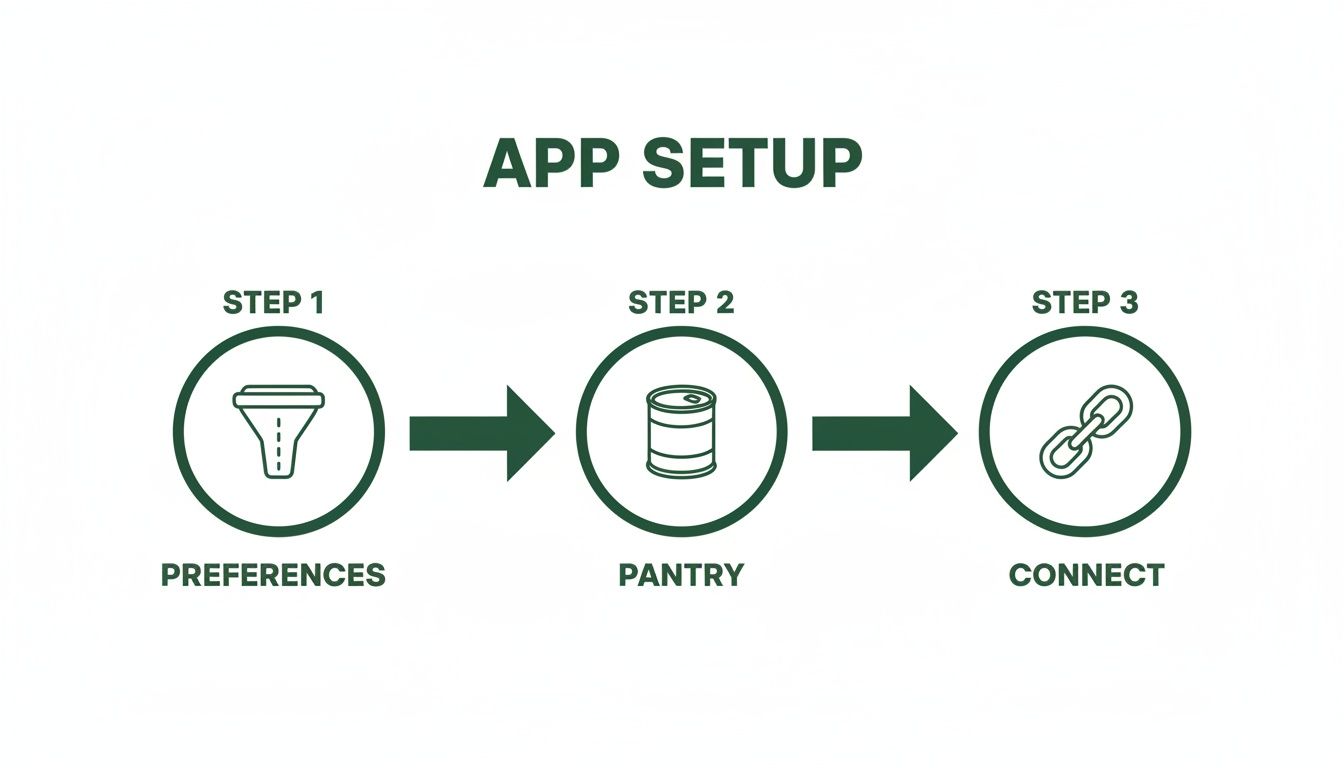
This little trio—setting preferences, logging what’s in your pantry, and connecting to a delivery service—is the foundation for a meal planning system that basically runs itself.
The Real MVP? The Grocery List
Once your meal plan clicks into place, the app’s true genius shines through: the automatically generated grocery list. Every last thing you need for the week—from that cup of chicken broth for Tuesday's soup to the croutons for Friday's Baked Caesar Chicken—gets compiled into one beautifully organized list.
Gone are the days of frantically flipping between three recipe tabs while trying to scribble a list on the back of a stray envelope. This list is neatly sorted by category (produce, dairy, meat), just like the aisles at the grocery store, making the trip a total breeze if you decide to go yourself.
There’s a reason stay-at-home moms and serious meal preppers, who make up 35-40% of users, are obsessed with these apps. In fact, 62% of U.S. moms are now using digital tools for meal planning, helping them slash food waste by up to 30% and save around $1,500 a year. The numbers don't lie.
Give Your List a Final Polish Before Checkout
The automated list is a fantastic starting point, but it's not written in stone. The best apps let you tweak and perfect it before you hit "order."
- Make a Swap: Not feeling flank steak this week? Switch it out for ground beef directly in the list, and the app will adjust the required amount.
- Toss in Household Stuff: Suddenly remember you’re on your last roll of paper towels? Add it to the list and get everything delivered at once.
- Double-Check the Pantry: The app should have already crossed off items you told it you have, but a quick once-over ensures you don’t end up with a fourth bottle of ketchup.
Your first automated list is a huge win. It's the end of forgotten ingredients and the start of truly stress-free grocery shopping. A quick final review is all it takes to make it perfect.
Finally, with your list polished and ready, the seamless handoff to Instacart feels like a victory lap. With one more tap, your entire order is in a shopper's hands, and a week’s worth of groceries is heading to your doorstep. This is how you take back your time, turning a dreaded hour-long chore into a five-minute task.
If you're looking for more tips on this, our guide on how to make a grocery list from recipes is a great next read.
Meal Prep Hacks That Actually Save Your Sanity
Okay, the groceries have landed on your doorstep (thank you, Instacart!). The clock is now officially ticking on the week. This is the moment your shiny new meal plan hands the baton over to you. But instead of staring down a mountain of produce with a sense of dread, you're armed with a strategy.
Let's turn that digital plan into a real-life victory that buys back your weeknights.
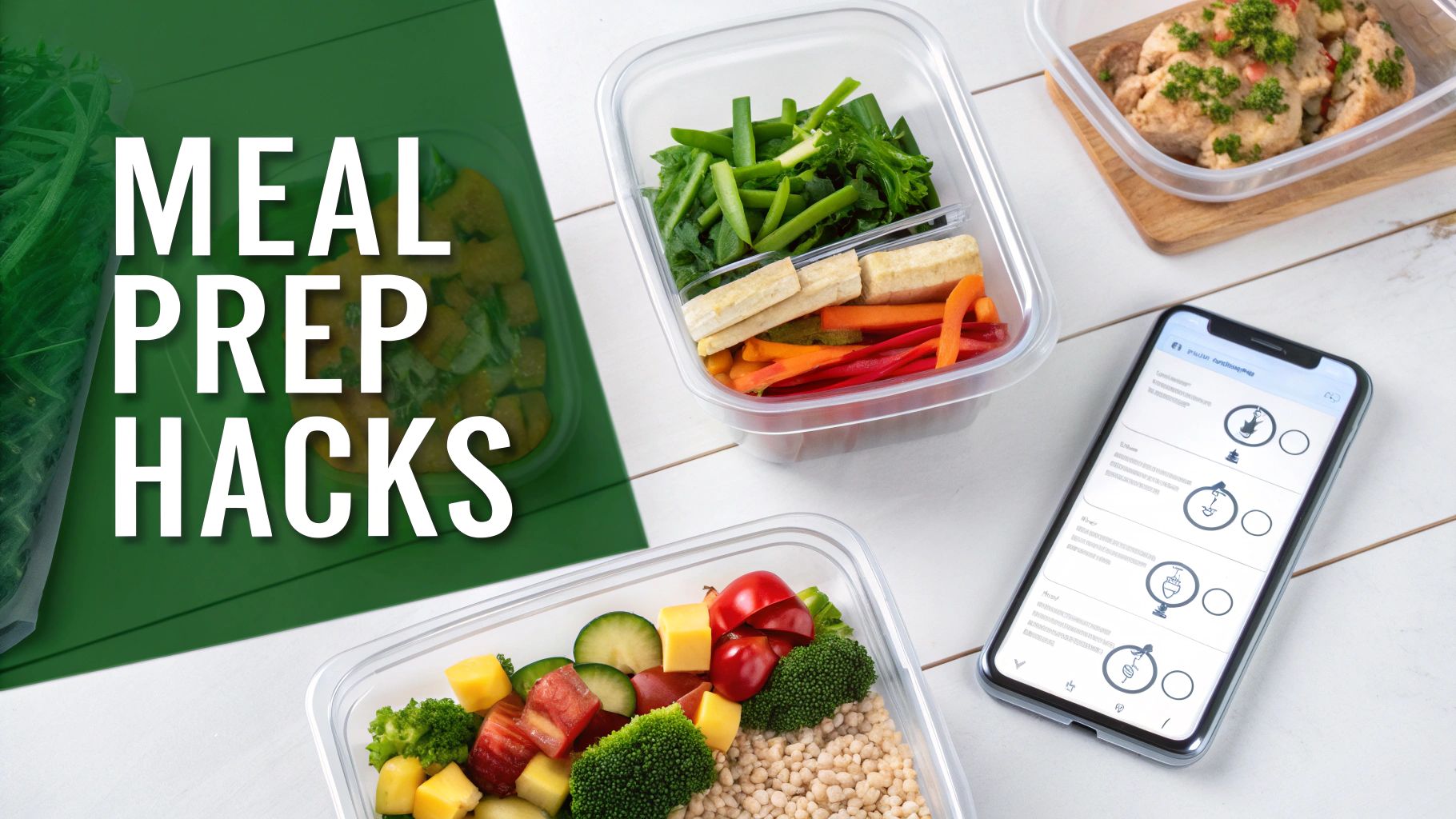
This isn't about being chained to your stove all day Sunday. Not at all. It’s about being clever and front-loading the effort so that "Future You" can kick back and relax while still putting a home-cooked meal on the table.
Try Themed Prep Days
Forget trying to cook five completely different meals from start to finish in one afternoon. That's a one-way ticket to burnout city. The real secret is dedicating a block of time to a single type of task. It’s amazing how much more efficient this is.
For instance, I live by my "Chopping Power Hour." I’ll throw on a good podcast on a Sunday afternoon and just get into the zone, prepping all the veggies for the week ahead.
- Dice All the Onions: Seriously, they’re in everything. Get them done and store them in an airtight container in the fridge.
- Chop Peppers, Carrots, and Celery: These are ready to be tossed into stir-fries, soups, or even just grabbed for a quick snack.
- Wash and Spin Your Greens: Having clean, dry lettuce ready to go means a healthy salad is always just 30 seconds away.
When Tuesday rolls around and you're exhausted, half the work is already done. You just grab your pre-chopped ingredients and start cooking. It feels like a magic trick.
Batch Cook the Basics
Here’s another game-changer: batch-cook the building blocks of your meals. Your app-generated plan is brilliant for this because you can easily see where the overlaps are. If you spot rice, quinoa, or chicken in three different recipes, you've struck gold.
The point of meal prep isn't to have five finished, plated meals getting sad in the fridge. It's about having the components ready to assemble, which slashes your hands-on cooking time each night.
Cook a huge pot of your chosen grain or protein. This simple step means you can throw together a burrito bowl on Monday, toss that chicken into a salad on Wednesday, and serve the last of the quinoa as a side on Thursday. It’s the ultimate cook-once, eat-thrice strategy.
Make "Dump-and-Go" Freezer Meals Your Best Friend
For those nights when you are running on fumes and the thought of even looking at a pan is too much, freezer meals are your superhero. Scan your meal plan for things that freeze well—chilis, hearty soups, and marinated meats are perfect candidates.
The process is almost laughably easy. Just toss all the raw ingredients for a single recipe into a big freezer bag. For a chicken chili, that means the raw chicken, beans, corn, and all the spices go right into the bag. Squeeze the air out, label it, and chuck it in the freezer.
When a chaotic day strikes, you just dump the frozen block into your slow cooker or a pot on the stove. It’s an absolute lifesaver.
When Your Perfect Meal Plan Goes Sideways
Let's be real. Even with the most amazing meal plan grocery list app at your fingertips, life loves to throw a wrench in the works. The grocery store is fresh out of cilantro (again!), your toddler has suddenly declared a personal war on chicken, or your neighbor shows up with a surprise pizza.
Deep breath. This is totally normal. A good meal plan isn't about rigid perfection; it's about being flexible enough to handle the chaos. Think of your app as your calm-in-the-storm co-pilot, ready to help you pivot without derailing your entire week.
Rolling With the Punches in Real Life
So, what do you do when things go off-script? Let's walk through some of those classic "oh, crap" moments and how to handle them like the seasoned pro you are.
Picture this: you get that little notification from your Instacart shopper. "They're out of ground beef." Don't panic!
Your app is built for this.
- Make a Quick Swap: Taco Tuesday doesn't have to be canceled. A few taps and you can swap in ground turkey or even lentils. Missing bell peppers for your stir-fry? Zucchini or broccoli can jump in and save the day. It’s all about a quick, painless substitution.
- Shop Your Pantry First: Before you even hit "approve" on a replacement, take a second. Do a mental scan of your pantry. You might just remember that can of black beans hiding behind the pasta, which would be perfect for that chili anyway.
And what about those glorious, spontaneous plan-wreckers, like a last-minute dinner invitation? This is where your app’s drag-and-drop feature becomes your best friend. Just slide Thursday’s planned meal over to next Tuesday. Done. The app will smartly remove those ingredients from this week's shopping list so you aren't buying food that will just go bad.
Your meal plan is a guide, not a contract set in stone. The whole point is to make life less stressful. A great app lets you shuffle, substitute, and save meals for later, making sure you’re not wasting food or money.
Finally, let's talk about hitting a recipe rut. If you feel like you're seeing the same five meals on rotation, it's time to shake things up. Dive back into your app's preferences and add a new cuisine you've been curious about, like Mediterranean or Thai. It’s a tiny change that can breathe new life into your recommendations and get you excited about dinner again.
Got Questions? We've Got Answers
Jumping into a new app can feel a bit like starting a new recipe—you've got the instructions, but a few questions always pop up. It's totally normal. Let's tackle some of the most common things people wonder about when getting started with a meal planning app.
"Can I Use My Own Family Recipes?"
You bet! This is non-negotiable for any meal planning app worth its salt. While getting AI-powered suggestions is a great way to break out of a food rut, your family’s greatest hits are what make a meal plan feel like yours.
Think of the app as your digital recipe box. You can easily plug in your own go-to's, whether that means pasting a link from your favorite food blog or manually typing in the ingredients for your legendary Sunday chili. That way, the app can pull from your trusted favorites when it builds your weekly plan.
"What If I Don't Want to Plan Every Single Dinner?"
Perfectly fine! The last thing you need is more pressure. A good app is a tool, not a drill sergeant.
Many of us only plan 3-4 dinners a week. That leaves plenty of wiggle room for leftover nights, a spontaneous "let's just order a pizza" evening, or that last-minute dinner invite. You're in the driver's seat.
The point of meal planning is to make life less stressful, not more. Plan for as many or as few meals as you actually need, and the app will create a grocery list that matches. No judgment.
"How Does It Figure Out How Much Food to Buy?"
This is where the real magic happens, and it's a total game-changer. When you first set up your profile, you'll tell the app how many adults and kids you're feeding.
From then on, it automatically scales every single recipe to fit your family size. That means your grocery list will have the exact amount of ingredients you need. Say goodbye to standing in the grocery aisle, trying to double a recipe in your head while a toddler pulls on your shirt. The app does all that math for you.
---
Ready to stop guessing and start planning? Let Meal Flow AI take the "what's for dinner?" drama off your plate with personalized meal plans and grocery lists that practically write themselves. Give Meal Flow AI a try and reclaim your evenings!