A Guide to Your Menu Planner and Shopping List App
Tired of mealtime chaos? This guide shows you how to use a menu planner and shopping list app to automate meals, generate grocery lists, and save hours.
Love This Article?
Get personalized meal plans with recipes like this, automatically matched to your nutrition targets.
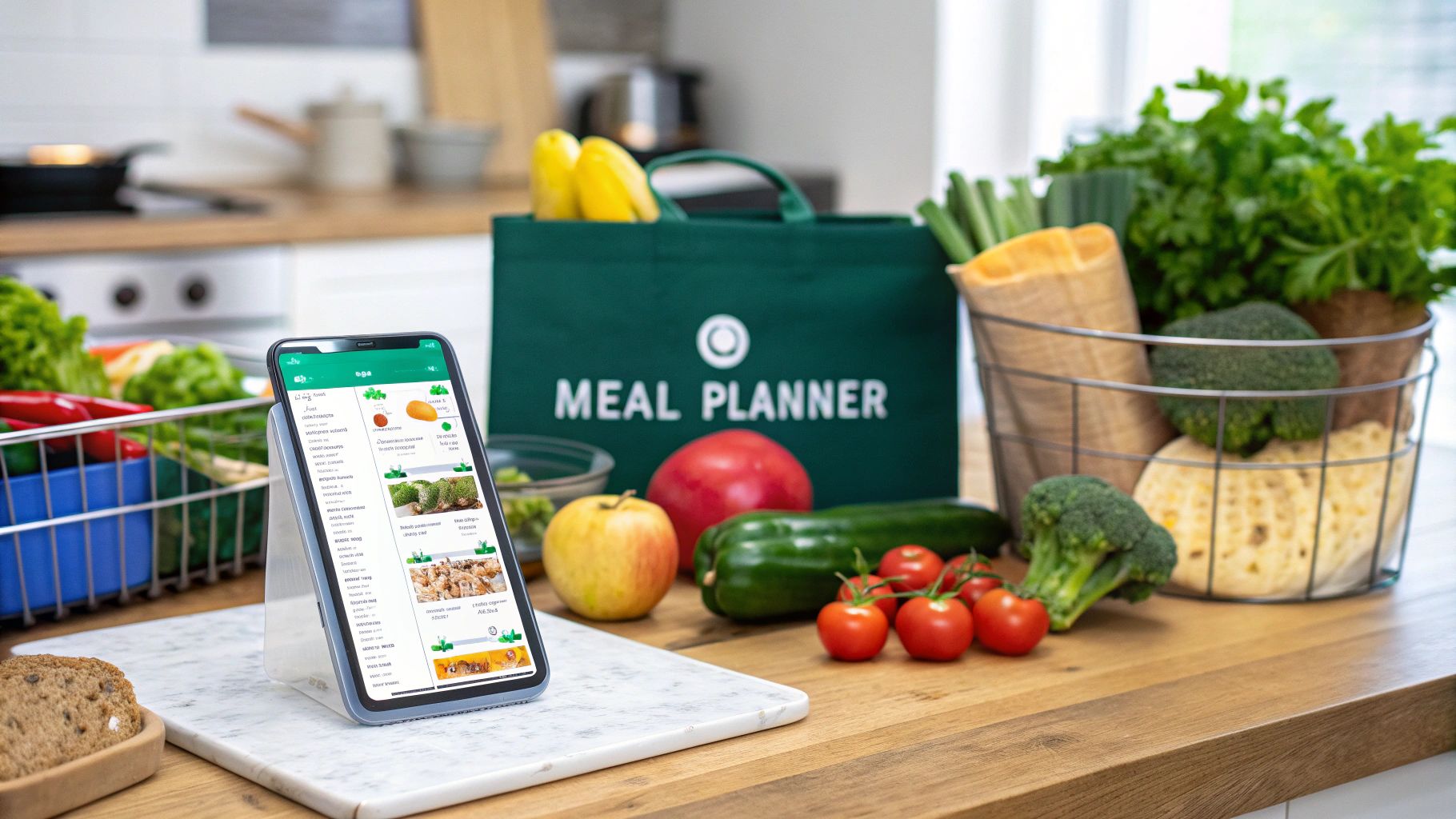
We’ve all been there. It’s 5 PM, the day’s been a whirlwind, and that dreaded question hits: "What's for dinner?" Cue the frantic scramble through the fridge, the last-minute (and usually expensive) trip to the store, or the surrender to yet another takeout menu. It's a universal struggle.
But what if you could sidestep that daily chaos completely? A modern menu planner and shopping list app is your secret weapon, acting like a personal sous-chef who handles all the tedious thinking for you.
Your Digital Assistant for Ditching Mealtime Madness
Think of apps like MealFlow.AI as a command center for your kitchen. We’re going to walk through how these tools create a surprisingly simple system that takes you from vague dinner ideas all the way to a perfectly organized grocery delivery. This is about so much more than just finding recipes—it's about reclaiming your evenings and turning meal planning from a chore into a strangely satisfying ritual.
It seems a lot of people are catching on. The demand for these digital helpers has absolutely exploded. In 2023, the global meal planning app market was already valued at a cool $1.2 billion, and experts predict it’ll shoot up to $3.6 billion by 2032. With about 34% of the market, North America is leading the charge, which makes sense given our love for smartphones and all things wellness.
A System for Kitchen Sanity
Let's be real: the old way is a mess. You've got recipes bookmarked on your laptop, a Pinterest board you forgot about, a half-written list on a sticky note, and another one buried in your phone's notes app. A dedicated app corrals all that chaos into one tidy, streamlined process. It’s a repeatable system that frees you from the tyranny of constant decision-making.
This simple four-step flow is the core of it all, turning what used to be a dreaded task into a smooth, almost enjoyable routine.
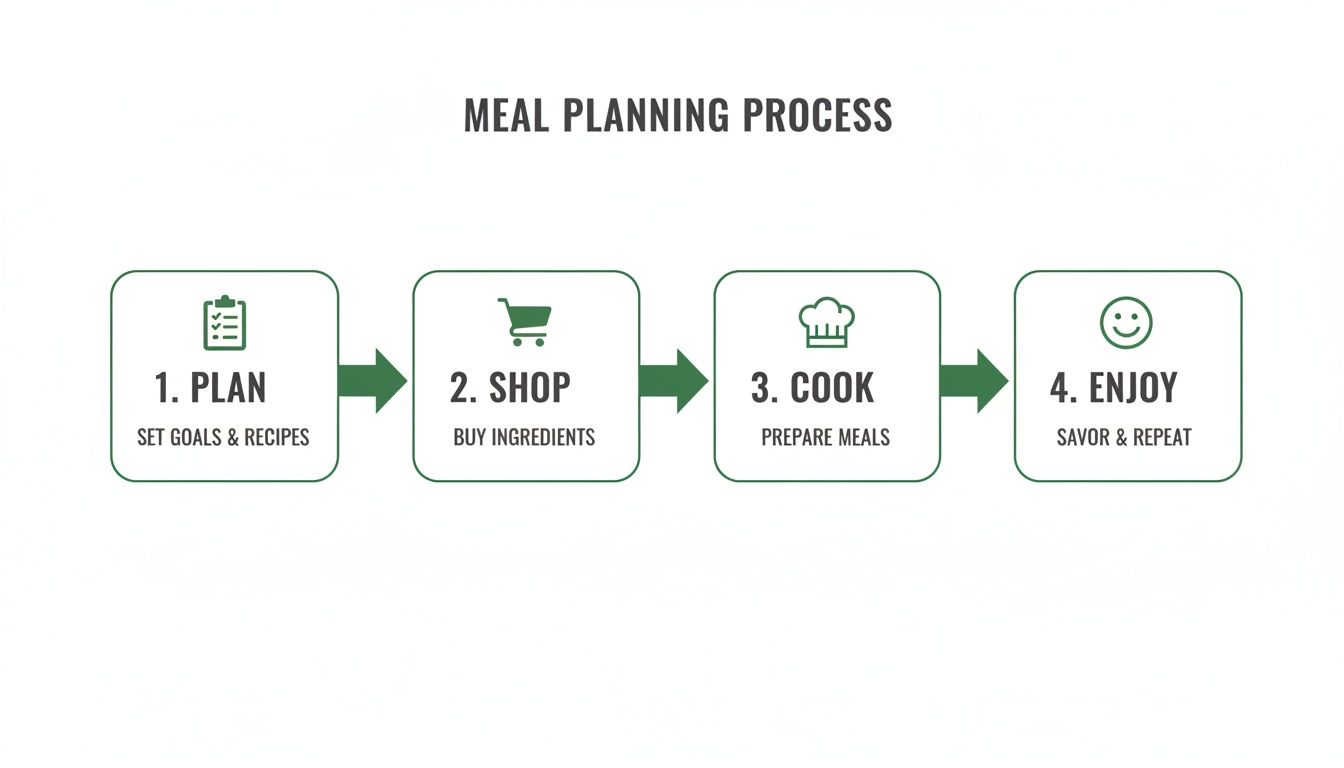
By putting a little structure around your meals, you always have a plan and the healthy ingredients to make it happen. This kind of consistency can be a game-changer for bigger wellness goals, too. It can even support strategies to stop binge eating by encouraging more mindful eating and cutting down on those impulsive, stress-driven food choices.
It's So Much More Than Just Recipes
A truly great menu planner and shopping list app is a hub for your entire food life. The benefits ripple out way beyond just knowing what's for dinner.
Here’s a quick look at how an AI-powered menu planner streamlines your entire week, turning a complex chore into a few simple clicks.
From Meal Idea to Your Doorstep in 4 Steps
| Phase | What You Do (The Fun Part) | What the App Does (The Magic) |
| 1. Plan | Tell the app your dietary needs, favorite cuisines, and what you’re in the mood for. | Instantly suggests personalized recipes for the week that fit your family’s tastes. |
| 2. Shop | Review your auto-generated shopping list and remove items you already have. | Consolidates all ingredients, categorizes them by aisle, and preps the list for the store. |
| 3. Cook | Follow the simple, step-by-step instructions for each meal. | Keeps your recipes organized and accessible right on your phone or tablet—no more recipe hunting. |
| 4. Enjoy | Sit down to a delicious, home-cooked meal without the last-minute stress. | Learns from your feedback to make even better suggestions for next week. |
This whole process is designed to save you time and mental energy at every turn, transforming how you approach your weekly meals.
Here are a few of the biggest wins you'll notice right away:
- You'll save money. When your shopping list is precise, you stop making impulse buys and slash your food waste. It’s amazing how much that adds up.
- You get your time back. The app handles the most draining parts of planning and list-making, freeing up hours every single week.
- The daily stress just melts away. Simply knowing what's for dinner removes a huge source of anxiety for so many of us.
The real secret sauce is how the app gets to know you. The more you use it, the smarter it gets at suggesting meals your family will genuinely get excited about. Dinnertime starts to feel less like a battle and more like a time to connect.
Ultimately, bringing a digital tool into your kitchen is about building a system that finally works for you. If you want to get into the nitty-gritty of how it all works, check out our deep dive on https://mealflow.ai/blog/meal-planner-software. The goal is simple: make your life easier, one delicious, well-planned meal at a time.
Making Sure Your Meal Plan Actually Works for Your Family
A generic meal plan is a beautiful thing... in theory. In reality, it crashes and burns the moment it runs into a picky eater, a random Tuesday taco craving, or that one allergy you always forget about. This is where a good menu planner app stops being a simple list-maker and starts acting like a personal chef who just gets your family.
The secret? You have to teach the app your family's unique food language. The goal is to make its suggestions feel less like a computer's best guess and more like something you would have picked yourself.
Forget one-size-fits-all. The real magic happens when you dive into the settings and build out detailed profiles for everyone at your dinner table. Think of it as giving the app a cheat sheet for winning over your crew.
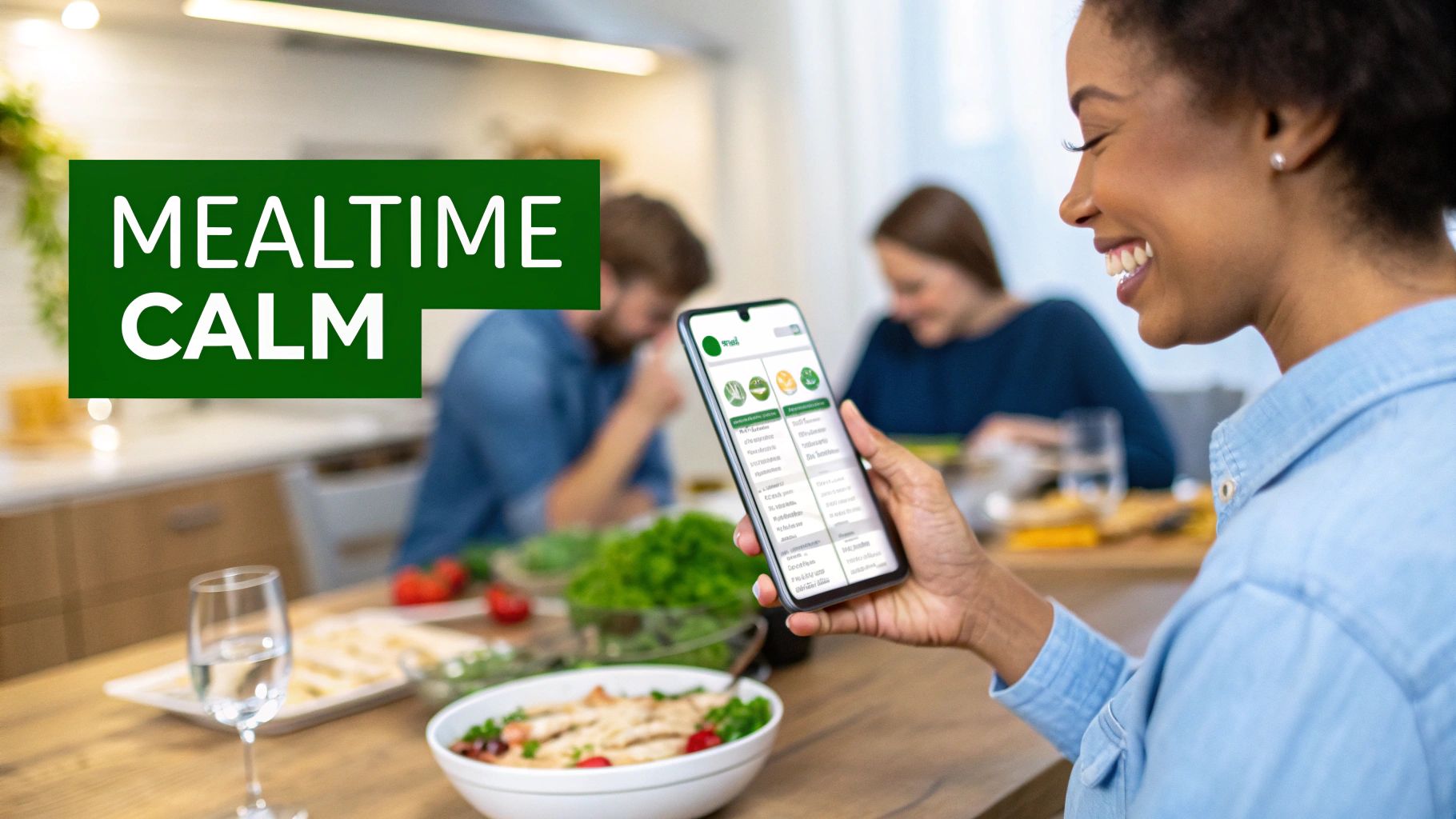
Building Your Family's "Food DNA"
First things first, let's set up those individual profiles. This isn't just about plugging in names; it's about creating a digital "palate print" for each person.
- Tackle the Dealbreakers: Start with the serious stuff. If you've got a peanut, gluten, or dairy allergy in the house, plug those in immediately. The app will then become your first line of defense, automatically filtering out any recipe that could cause trouble.
- List the "Heck No's": Does your partner think cilantro tastes like soap? Does your teenager act like mushrooms are a personal offense? Add those strong dislikes to their profiles. Poof! You’ll never see those ingredients suggested for them again.
- Highlight the Favorites: Now for the fun part. Tag profiles with things like 'loves spicy food,' 'prefers plant-based,' or 'more fish, less red meat.' The more details you feed the app, the smarter its recommendations will get.
This deep level of personalization is a huge reason these apps are taking off. While convenience is great, 38% of users in North America and Europe are jumping on board specifically to manage diets and track nutrition. And for the 72% of users planning for themselves or their families, this is what makes the app feel genuinely helpful. You can get more details on the latest trends in meal planning app usage.
You’re not just filtering recipes anymore. You’re building a smart set of rules that ensures every meal plan is a guaranteed crowd-pleaser before you even start cooking.
Dialing in Your Household Goals
Once the individual tastes are locked in, you can start layering on the big-picture goals for the whole household. This is where the app really starts to shine, turning from a recipe book into a proper wellness partner.
Trying to keep grocery spending in check? Set a weekly budget. The app will then lean toward recipes that feature more affordable, in-season ingredients. It's a fantastic way to avoid that wince-inducing moment when you check your bank account at the end of the month.
Think of it like a financial advisor for your pantry. By setting a budget upfront, the app makes smart, cost-effective recipe choices on your behalf, steering you away from expensive ingredients without sacrificing flavor.
You can also set specific nutritional targets. Maybe you’re a family of athletes tracking macros, someone managing a low-carb lifestyle, or you’re just trying to eat more whole foods. Whatever your aim, you can plug it right in. The app’s AI will then work within those guardrails, suggesting meals that not only taste amazing but also line up perfectly with your family’s health goals.
This is how you get a truly custom experience. Your menu planner and shopping list app learns to be an expert on your family, making sure every single meal it suggests is delicious, affordable, safe, and a perfect fit for the life you actually live.
Let's Build Your Perfect Weekly Menu (In 5 Minutes Flat)
Alright, you've plugged in your family's preferences. Now for the fun part. This is where you trade that Sunday afternoon "what-are-we-going-to-eat" headache for a killer plan in less time than it takes to brew a pot of coffee. Seriously, this is where the app starts to feel like a superpower.
Forget staring at a blank page. Just tap a button, and the app will instantly whip up a full seven-day menu. It automatically honors all your family's allergies, picky-eater demands, and even your budget, pulling from a massive library of recipes so you’re not eating the same three things on repeat.
The "Nope, Not Feeling It" Quick Swap
So, the app suggests "Sheet Pan Salmon" for Tuesday, but the idea just isn't landing. No problem. This is where the app’s real genius shines. Next to almost every meal, you'll see a little "swap" or "replace" button.
Give it a tap, and boom—you get a list of alternative ideas that still fit all your rules. Maybe it offers up some Lemon Herb Chicken or a quick Shrimp Scampi instead. This feature is an absolute game-changer. It gives you total control without forcing you to start from scratch. It’s the perfect mix of smart automation and your personal touch.
The point isn’t to blindly follow a robot’s meal plan. It’s to get a really, really good first draft that you can fine-tune in seconds. A quick five-minute once-over is all it takes to turn a decent plan into your perfect plan.
This quick-swap trick is how you guarantee the final menu is something everyone will actually be excited to eat, completely sidestepping those dreaded mealtime groans.
Making the Menu Genuinely Yours
Even with an app doing most of the work, the best meal plan is one that feels like you made it. Beyond just swapping out a meal here and there, you can really make the week your own.
Here’s how I do it:
- Bring in the Family Hits: Everyone has that one secret lasagna recipe that's non-negotiable. Most apps let you import your own recipes, either by pasting a link or typing it in. Once it's saved, you can drag and drop Grandma's famous casserole right into your weekly lineup.
- Embrace Theme Nights: This is my secret weapon for simplifying decisions and making dinner fun. We do "Taco Tuesday" and "Pizza Friday" without fail. I just tell the app to only show me taco recipes for Tuesday, and it instantly narrows down the options. It’s structure, but the fun kind.
- Plan for Real Life: Got a late meeting on Wednesday? Don't pretend you're going to cook something elaborate. This is the day for a 20-minute skillet meal or, even better, planned leftovers. Thinking ahead like this is what saves you from that panicked 6 PM takeout order.
By blending the app's powerful suggestions with your own inside knowledge, you end up with a menu that actually fits your life. This is more than just meal planning; it’s about designing a week that runs a whole lot smoother. And just like that, you have an inspiring, complete plan ready to go.
Automating Your Grocery Shopping List
Alright, you’ve locked in your menu for the week. High five! Now for the part that usually involves scribbling on a notepad or, let's be honest, a frantic "what do we need?!" text from the middle of aisle six. This is where the real magic of a menu planning app happens. It stops being just a recipe book and becomes your personal shopping ninja.
The app instantly scans every recipe you’ve chosen and pulls all the ingredients into one, single, unified shopping list. Gone are the days of manually cross-referencing three different recipes and still somehow forgetting the cilantro.
This isn’t just a simple checklist anymore. The convenience is powered by some seriously smart AI. In fact, the market for AI-driven meal planning apps is set to rocket from $972.1 million in 2024 to an eye-watering $11,566.5 million by 2034. With mobile platforms making up 51.2% of that, it's clear we want this power in our pockets. Apps like Meal Flow AI are leading the charge, turning a complex meal plan into a perfect Instacart order and tackling the huge headaches of decision fatigue and food waste. You can see more on the future of AI meal planning.
The Digital Pantry Check
The best apps have a feature that I absolutely live by: the "digital pantry." Before finalizing your list, the app does a quick check against a virtual inventory of what you already have at home. Did you just use the last of the olive oil? Mark it as gone. Still have plenty of garlic? The app knows to leave it off this week’s list.
This simple step is a game-changer for your wallet and your sanity. It puts a full stop to buying duplicates, which are a major source of pantry clutter and wasted food. For anyone looking to really maximize their savings, pairing this with good habits for tracking pantry coupons can make a huge difference.
A List That Actually Knows the Store Layout
Nothing is worse than a grocery list that has you ping-ponging all over the store. A great menu planning app fixes this by automatically sorting your list by aisle or category. It’s brilliant.
Imagine this:
- All your produce—lettuce, tomatoes, onions—is neatly grouped.
- Dairy items like milk, cheese, and yogurt are clustered together.
- Pantry staples from pasta to canned beans get their own section.
This lets you walk a logical path through the store, grabbing everything you need without ever having to backtrack. What used to be a chaotic scavenger hunt becomes a quick, efficient mission. Seriously, you can cut your shopping time in half.
The best part? You can still add your own stuff. Need paper towels, dog food, or your favorite seltzer? Just manually add them to the list, and the app will slot them into the right category.
From App to Doorstep in One Click
Here’s the grand finale, the ultimate convenience feature: direct integration with grocery delivery. Instead of re-typing your entire list into the Instacart app, you just tap a button. Your perfectly organized grocery list gets sent right over, ready for a shopper to grab and deliver.
This is what closes the loop, taking you from a meal idea to a fully stocked kitchen, sometimes without you even leaving the couch. It’s what a truly smart grocery list app should do—handle all the boring logistics so you can focus on the fun parts: cooking and eating.
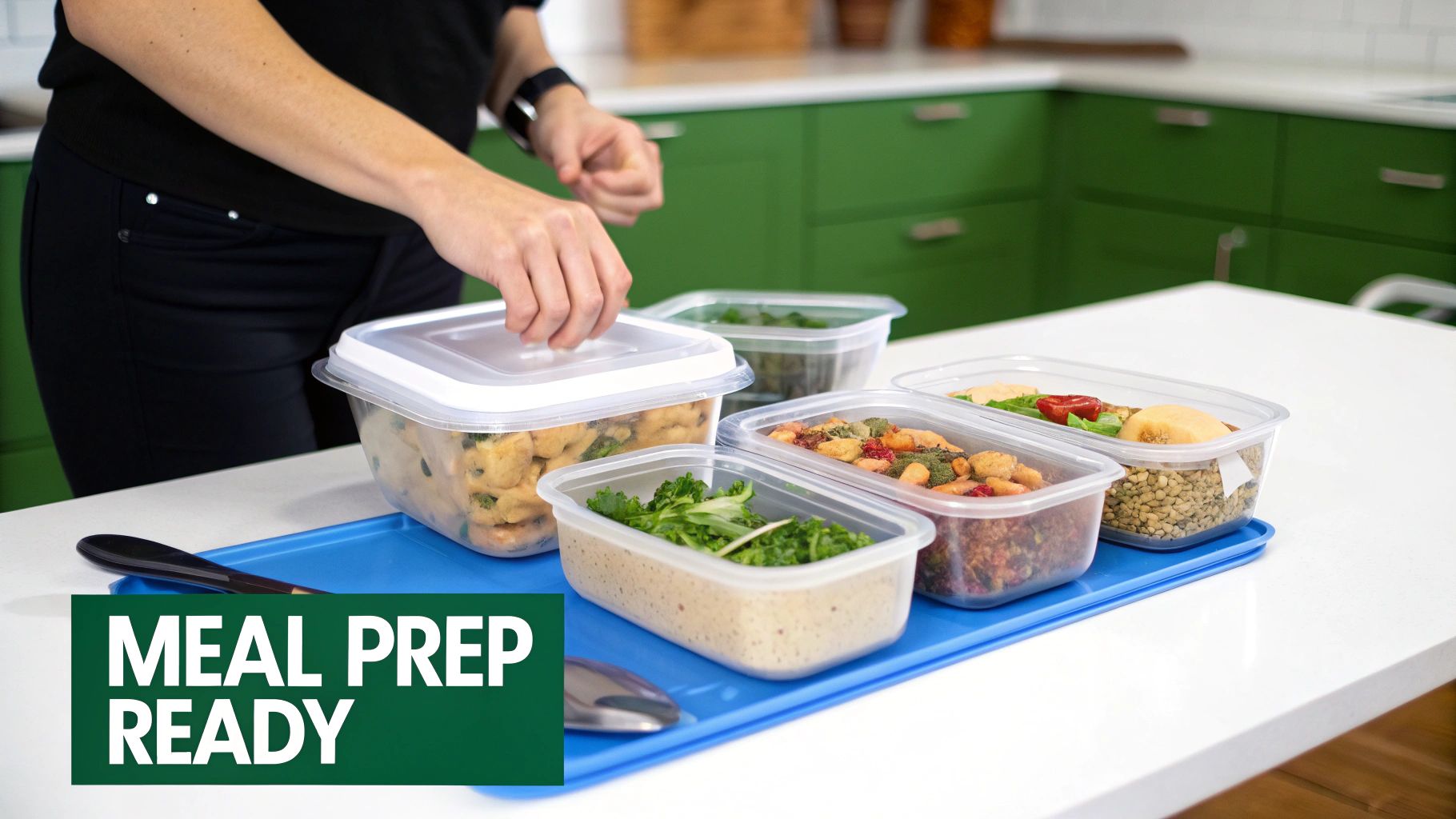
Mastering Meal Prep for a Stress-Free Week
Alright, your groceries have landed on the kitchen counter. Now for the really satisfying part! This is where you turn that beautiful haul of ingredients into a week of grab-and-go meals, transforming your kitchen from a nightly scramble zone into a haven of calm efficiency.
Let's be clear: this isn't about cooking seven different three-course dinners on a Sunday afternoon. Nope. It's about smart, strategic prep that works hand-in-hand with the plan you've already built.
This is the final piece of the puzzle, the magic that connects your brilliant plan to a delicious reality. By spending a little time now, you're literally buying yourself hours of freedom during the crazy week ahead. It's all about working smarter, not harder.
Embrace Component Prepping
First things first, ditch the idea of assembling endless, identical rows of Tupperware meals. That gets old, fast. The real pro move? Component prepping.
Think of it like creating your own personal salad bar or deli counter right in your fridge. You're preparing individual ingredients that you can mix and match to build different meals all week long. It’s way more flexible, a lot less boring, and the secret to weeknight dinners that feel fresh and come together in minutes.
So, what does this look like on a Sunday afternoon? Maybe you:
- Cook a big batch of grains: Get some quinoa, brown rice, or farro going. These can be the foundation for grain bowls, quick salads, or a simple side for your protein.
- Roast or chop your veggies: Wash and slice up those bell peppers, broccoli, and onions. Get a sheet pan of sweet potatoes roasting. Now they’re ready to be thrown into stir-fries, omelets, or pasta dishes without a second thought.
- Prep your proteins: Toss some chicken in the slow cooker to shred, or maybe grill a few salmon fillets.
- Whip up dressings and sauces: A killer homemade vinaigrette or a fresh pesto takes just a few minutes but makes everything taste ten times better.
With these building blocks ready to go, throwing together a healthy dinner on a chaotic Tuesday is as simple as playing with LEGOs. You just grab and combine.
Smart Storage to Reduce Waste
Proper food storage is your secret weapon against food waste. When your prepped ingredients stay fresh and look appealing, you're so much more likely to actually eat them. Wasting less food is a massive win for your wallet and the planet.
A menu planner and shopping list app helps you buy only what you need, but smart storage ensures you use what you buy. This powerful combo is your ticket to a zero-waste kitchen.
Here are a few quick wins for keeping your food fresher, longer:
- Store leafy greens like chopped lettuce with a paper towel in an airtight container. It’ll soak up extra moisture and prevent the dreaded slime.
- Keep chopped onions, carrots, and celery submerged in water in the fridge. They’ll stay amazingly crisp.
- Use glass containers whenever you can. They don’t stain or hold onto smells (looking at you, last week's curry), and you can see exactly what’s inside.
By nailing these simple routines, your kitchen goes from a place of nightly stress to a smooth-running machine. And if you're hungry for more ideas, we've got a ton of them in our complete guide on how to meal prep for the week. It’s all about creating a system that gives you back your time.
Common Questions About Meal Planning Apps
Jumping into a new app always comes with a few "how does this actually work?" moments. That's a great sign! It means you're already thinking about how to fit this tool into your real life, not just following a generic script.
Let's clear up some of the most common questions that pop up when people first fire up a menu planner and shopping list app. Consider this your personal cheat sheet for making the app work for you, not the other way around.
Can I Add My Own Recipes to the App?
Yes, and you absolutely should! A meal planning app that doesn’t let you add Grandma’s legendary lasagna recipe is basically useless, right? Your family's greatest hits are the core of your cooking, and any decent app gets that.
Most modern planners, like Meal Flow AI, make this super simple. You can often just paste a URL from your favorite food blog, and the app will cleverly slurp up the ingredients and steps. Or, you can manually type in that secret chili recipe you’ve perfected over the years, creating your own private digital cookbook.
Once it's in the system, your recipe is treated like any other. The app's brain scans the ingredients, knows how to add them to your shopping list, and lets you drag and drop it into your weekly calendar. Easy.
How Does a Meal Planning App Reduce Food Waste?
Food waste is that sneaky villain that eats away at your grocery budget. It’s the forgotten bunch of cilantro that turned to slime in the crisper drawer or the "just in case" bag of potatoes you never got around to using.
A smart app fights back in a couple of brilliant ways:
- Shopping with a Purpose: The app builds a shopping list based only on the ingredients you need for the specific meals you've planned. No more guessing, no more impulse-buying a bunch of kale you have no plan for.
- The "What's in the Pantry?" Game: Many apps include a digital pantry. Before you head to the store (or tap that order button), you can "shop your kitchen" first. Check off the olive oil, onions, and spices you already have, and they magically disappear from your shopping list.
By planning out your meals, every single item you buy has a job. This one tiny shift is probably the most powerful thing you can do to stop throwing away food and money.
What if My Family Has Complex Dietary Needs?
This is where a good app really earns its keep. Trying to manage one person's gluten-free diet, another's nut allergy, and a kid who has declared war on mushrooms can feel like you need a PhD in logistics.
Instead of keeping a thousand mental notes, you just set up a profile for each family member. You can layer on multiple restrictions—like dairy-free and no shellfish—or add lifestyle preferences like keto or vegan. You can even list simple dislikes.
The real magic is the flexibility. When a diet changes or a new allergy pops up, you just update that person’s profile. The app immediately recalibrates, filtering recipes and suggesting meals that work for everyone. It brings a level of personalized order to the chaos that pen and paper just can't handle.
---
Ready to finally take control of your mealtime chaos? Meal Flow AI turns your family's unique tastes into a perfect weekly plan and a one-click Instacart order. Stop stressing and start enjoying dinner again. Get started with Meal Flow AI today!